
Zoho Solo for Freelancers in Malaysia: Is It Worth It?
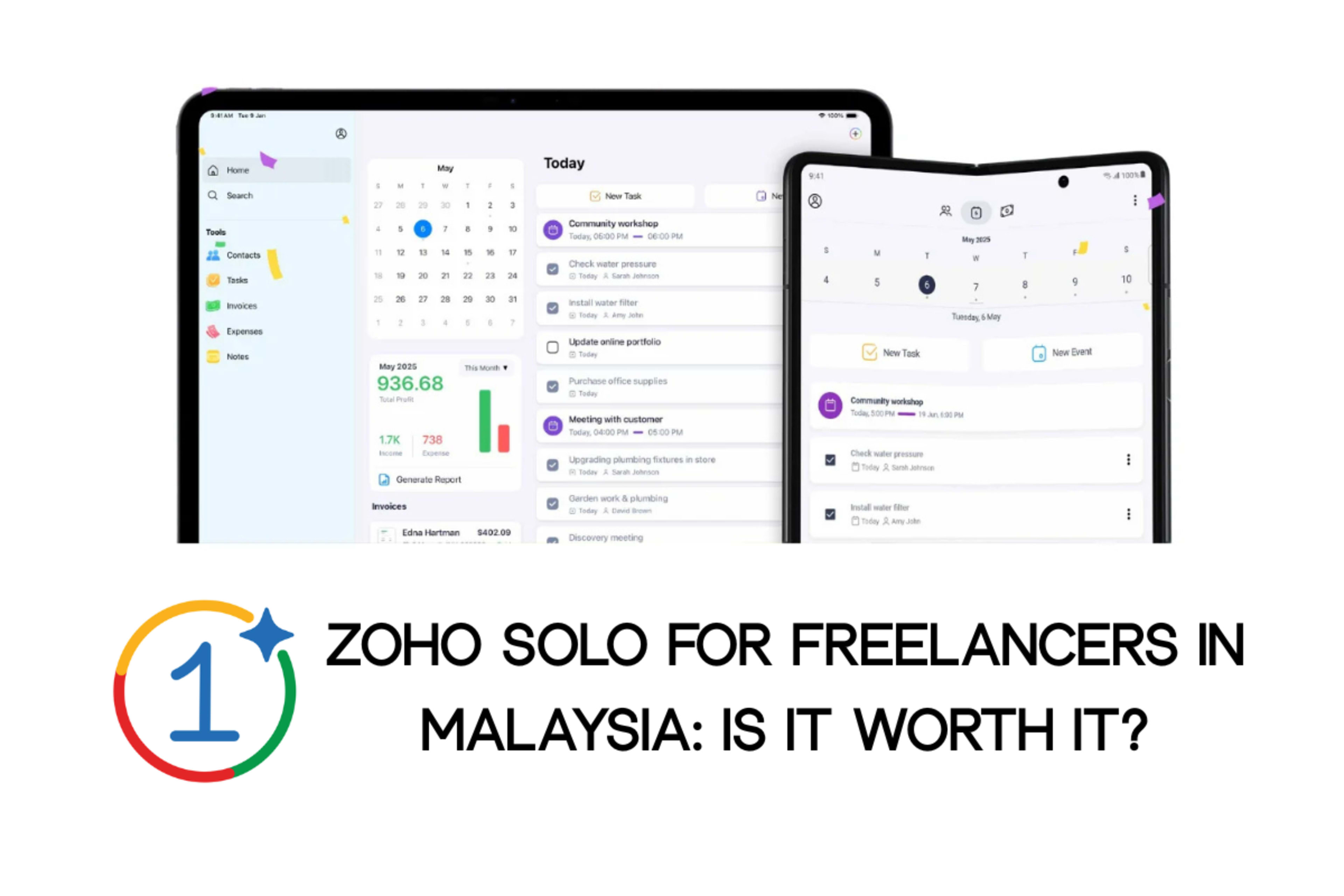
Zoho Solo is a mobile-first all-in-one app built for freelancers and solopreneurs. It bundles invoicing, expense tracking, tasks, time tracking, contacts, and tax reporting into a single app available on iOS and Android. It has a genuine free plan and a Pro tier at USD $9.99/month.
Quick note on access for Malaysian freelancers
Download the Zoho Solo app directly from the Apple App Store or Google Play Store. It's fully available to Malaysian users on mobile. The only genuine limitation is that Solo's automated taxation feature is country-locked to specific markets (Malaysia isn't on that list yet). You'll need to configure SST manually, and LHDN e-invoice integration won't be readily available in the application.
If you're a Malaysian freelancer earning under RM1 million a year, this probably doesn't matter. You're exempt from e-invoicing anyway. If you're over that threshold or want a tool built for Malaysian tax workflows, you'll want Zoho Books, SQL Account, or a dedicated e-invoicing platform instead.
This article covers what Zoho Solo actually does, how it can assist freelancers in Malaysia, how it compares to alternatives, and how to decide if it's the right tool for your freelance setup.
What Is Zoho Solo?
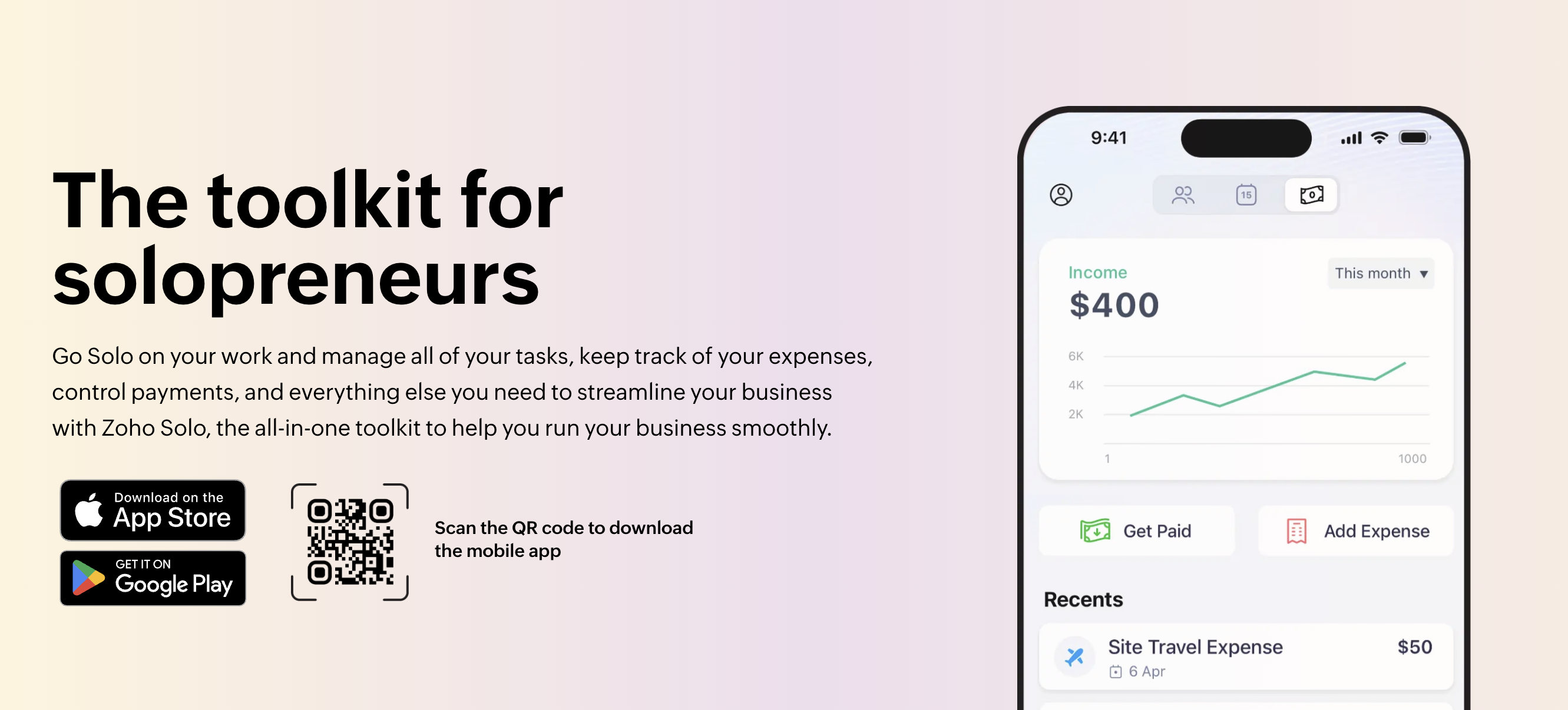
Zoho Solo is Zoho Corporation's mobile-first app designed for one-person businesses. It's the lightest product in Zoho's ecosystem — built for freelancers, solopreneurs, and side hustlers who want basic business tracking without the complexity of a full CRM or accounting software.
Everything runs from the mobile app (iOS and Android, with iPad support). There's no full desktop version. That's intentional. Zoho Solo is designed for freelancers who work from coffee shops, coworking spaces, or client sites without a fixed location.
Core features
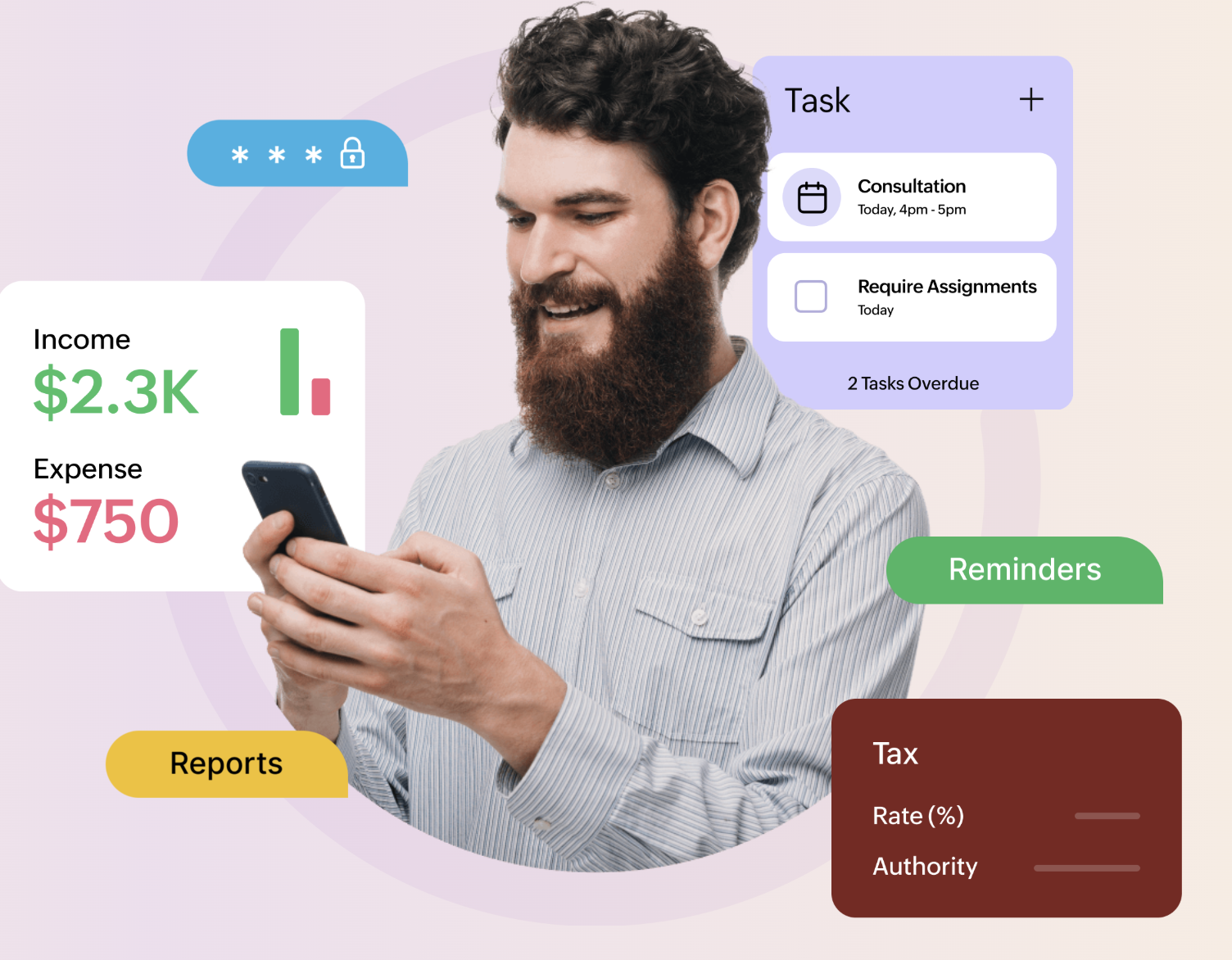
These are some of the best features of Zoho Solo that you should know:
- Invoicing: Create and send professional invoices with your branding. Apply taxes, discounts, and payment terms.
- Expense tracking: Log expenses by category, attach receipts, and track recurring costs.
- Tasks and to-dos: Plan daily work, set reminders, categorise by project or client.
- Time tracking: Built-in timers for billable hours, convertible directly into invoices.
- Contacts (light CRM): Store client details, categorise by role (lead, customer, partner), and log communication history.
- Events and meetings: Schedule project calls and track business gatherings.
- Tax management: Define tax rates, tax groups, and exemptions. Export reports for filing.
- Payment gateways: Accept online payments through integrated providers (on the Pro plan).
- Mileage tracker: Log business travel for reimbursement or tax deduction (Pro only).
- Reports and dashboard: Real-time view of income, expenses, invoice status, and tasks.
Pricing
- Free plan: No cost, free forever. Covers essential invoicing, expense tracking, tasks, and contacts.
- Pro monthly: RM30/month (approximately RM360 for the entire year if paid on a monthly basis).
- Pro yearly: RM300/year ( ~RM25/month).
You can start with a 15-day trial of Zoho Solo (no credit card required). The Pro plan unlocks mileage tracking, payment gateway integrations, card scanning for contacts, white-labelled invoices, and advanced reporting.
Is Zoho Solo Available in Malaysia?
Short answer: Yes, through the mobile app. The full answer has a twist most articles miss.
If you visit Zoho's web product page from a Malaysian IP address, you'll likely see: "Zoho Solo is not yet available in your country, register your interest and be the first to know when it's available." Ignore that message. It reflects the web signup flow, not actual product availability.
The app itself is live and fully functional for Malaysian users. Search for "Zoho Solo" on the Apple App Store or Google Play Store in Malaysia, then download and sign up directly. You'll get full access to the core product.
What works in Malaysia through the mobile app
- Full account sign-up through iOS and Android
- Core features: invoicing, expenses, tasks, time tracking, contacts, events, meetings
- MYR as your base currency
- Manual tax configuration (define SST or any custom tax rate)
- Payment gateway integrations on Pro (subject to gateway-level MYR support)
- Reporting and dashboards
- Free plan and Pro plan are both available
What doesn't work for Malaysia
Automated tax compliance for Malaysian rules. Zoho Solo's built-in tax automation is currently country-locked to select markets — primarily the US, parts of the EU, and, more recently, Mexico. Malaysia isn't on that list yet. You can still use the tax fields; you just configure the rates manually rather than getting country-aware defaults.
LHDN MyInvois e-invoicing integration. Solo doesn't offer a native connection to Malaysia's e-invoice system. If you're in Phase 4 or Phase 5 of the LHDN rollout, this is a hard stop. You'll need a MyInvois-compatible tool alongside or instead.
Localised Malaysian tax reports. The reports created in Zoho Solo are generic and globally usable, but not formatted for direct LHDN filing.
Why Zoho Solo is suitable for Freelancers
Zoho Solo is the right tool if you match these three conditions:
- You're genuinely solo — no employees, no subcontractors on payroll.
- Your annual freelance revenue is under RM1 million (so e-invoicing isn't mandatory yet).
- You want one app that covers invoicing, time, tasks, and expenses instead of juggling four tools.
Who Should Use Zoho Solo?
The mobile-first freelancer. Writers, photographers, videographers, coaches, and consultants who work from anywhere. The app is responsive and works well on mobile devices, better than most accounting tools, which treat mobile as an afterthought.
The beginner freelancer. If you're just starting out and don't want to pay RM50–150/month for accounting software, the free tier of Zoho Solo is enough to issue invoices, track clients, and log expenses. You can upgrade when your earnings justify it.
The side-hustler. Full-time employees running a weekend freelance operation don't need enterprise-grade tools. Zoho Solo's task management plus basic invoicing can help you.
Service professionals with project-based billing. Designers, developers, translators, and aesthetic practitioners who bill by hour or project benefit from the built-in timer-to-invoice workflow.
Who Should Avoid Zoho Solo?
Freelancers above RM1 million in annual revenue. You need an e-invoice compliance tool. Use Zoho Books, SQL Account, AutoCount, or a dedicated MyInvois-integrated platform.
Freelancers who want desktop-first workflows. Zoho Solo runs primarily on mobile. If you spend your day at a laptop and want a full browser dashboard, the experience will feel limited.
Agencies or freelancers with contractors. Zoho Solo is built for a single operator. If you're subcontracting work, managing a small team, or running anything resembling an agency, Zoho Books plus Zoho Projects will serve you better.
Freelancers who need data migration from existing tools. Zoho Solo doesn't import cleanly from other Zoho apps or third-party tools. Starting fresh is fine; migrating years of data isn't.
Zoho Solo vs Other Options for Malaysian Freelancers
Here's how Zoho Solo stacks up against the alternatives for Malaysian freelancers in 2026.
Zoho Solo vs Zoho Books
Zoho Books is Zoho's complete accounting software. It has proper Malaysian edition support, e-invoice integration, and SST compliance built in. The plan starts free with 1,000 invoices per year. The paid plan starts at an affordable price (roughly RM45–900/month, depending on your needs), and it includes compliance and desktop access.
Our Verdict If you expect to cross RM1 million soon, skip Solo and go straight to Zoho Books. If you're well below that threshold and want the most affordable solution for managing your freelancing business, Zoho Solo is fine.
Zoho Solo vs Bukku
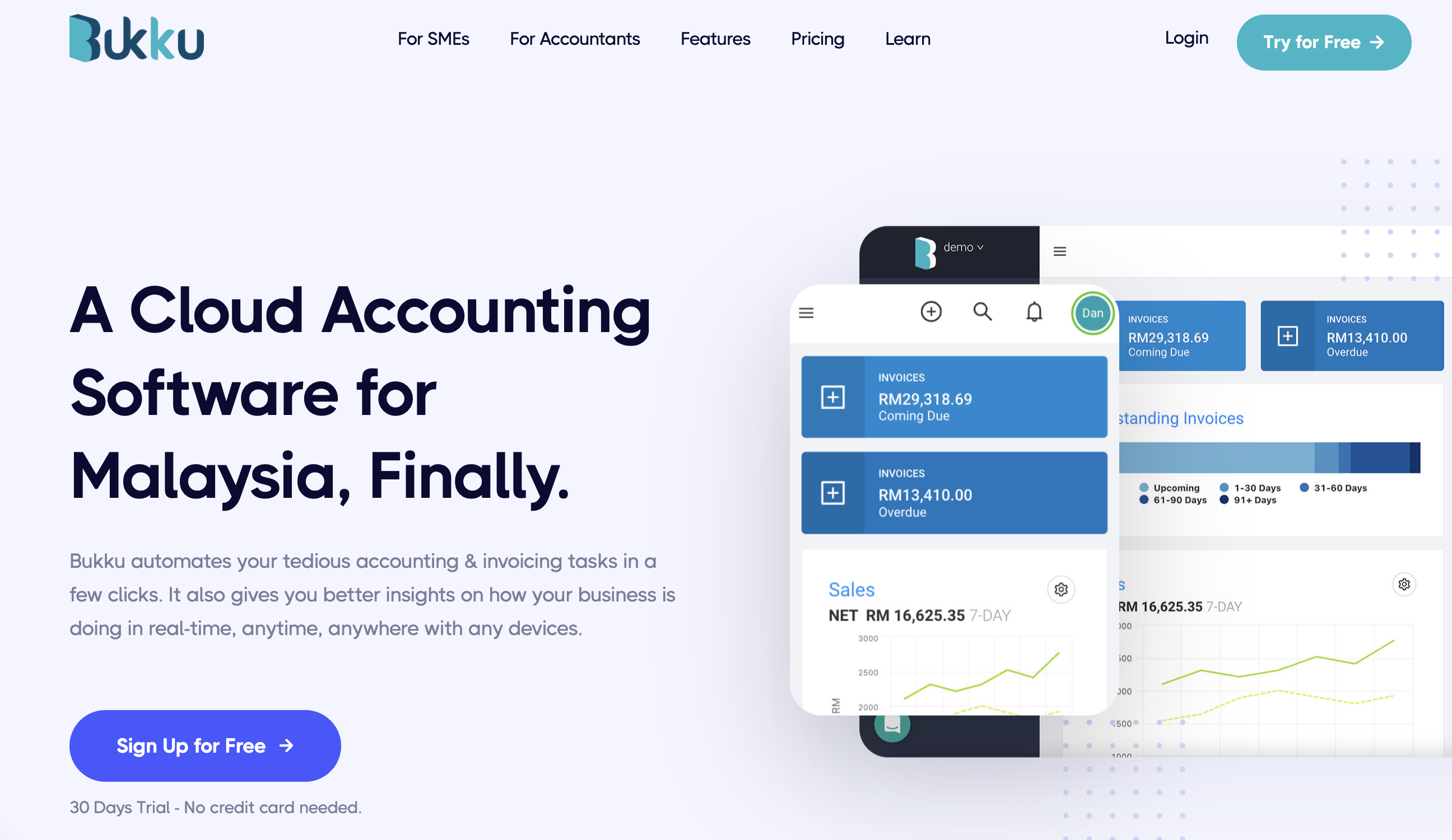
Bukku is a Malaysian-built accounting platform with native LHDN e-invoicing. It's designed specifically for Malaysian SMEs and freelancers. Pricing is competitive (often cheaper than Zoho Books at the entry tier), and the support team speaks in the local context.
Our Verdict For a Malaysian freelancer who wants proper local compliance, Bukku is a stronger choice than Zoho Solo. Zoho Solo wins only on mobile-first design and the free tier.
Zoho Solo vs QuickBooks / Xero
Both QuickBooks and Xero are strong accounting platforms, but they offer weaker e-invoicing integration than Malaysian-built tools. Pricing for both QuickBooks and Xero is in the RM60–RM200/month range.
Verdict If you already use one of these, stay. Don't switch to Zoho Solo unless you specifically want the mobile-first workflow and simpler scope.
Zoho Solo vs MyInvois Portal (Free)
LHDN's own MyInvois Portal is free and directly handles e-invoice submission to the government. It doesn't do expenses, time tracking, or task management. It is fully focused only on e-invoice submission.
Our Verdict: If e-invoicing is all you need, MyInvois Portal is free and compliant. Pair it with a separate tool (like Zoho Solo's free tier) for everything else.
Zoho Solo vs Spreadsheets
Plenty of Malaysian freelancers still run their business out of Google Sheets. It works well, but it's better to use an accounting tool to maintain good bookkeeping practices.
Our Verdict Spreadsheets are free and infinitely customisable, but they don't send invoices, accept online payments, or track time. Zoho Solo's free tier is a meaningful upgrade for zero extra cost.
How to Get Started With Zoho Solo as a Malaysian Freelancer
If you've decided Zoho Solo fits your situation, here's the practical setup path.
Step 1: Download the app
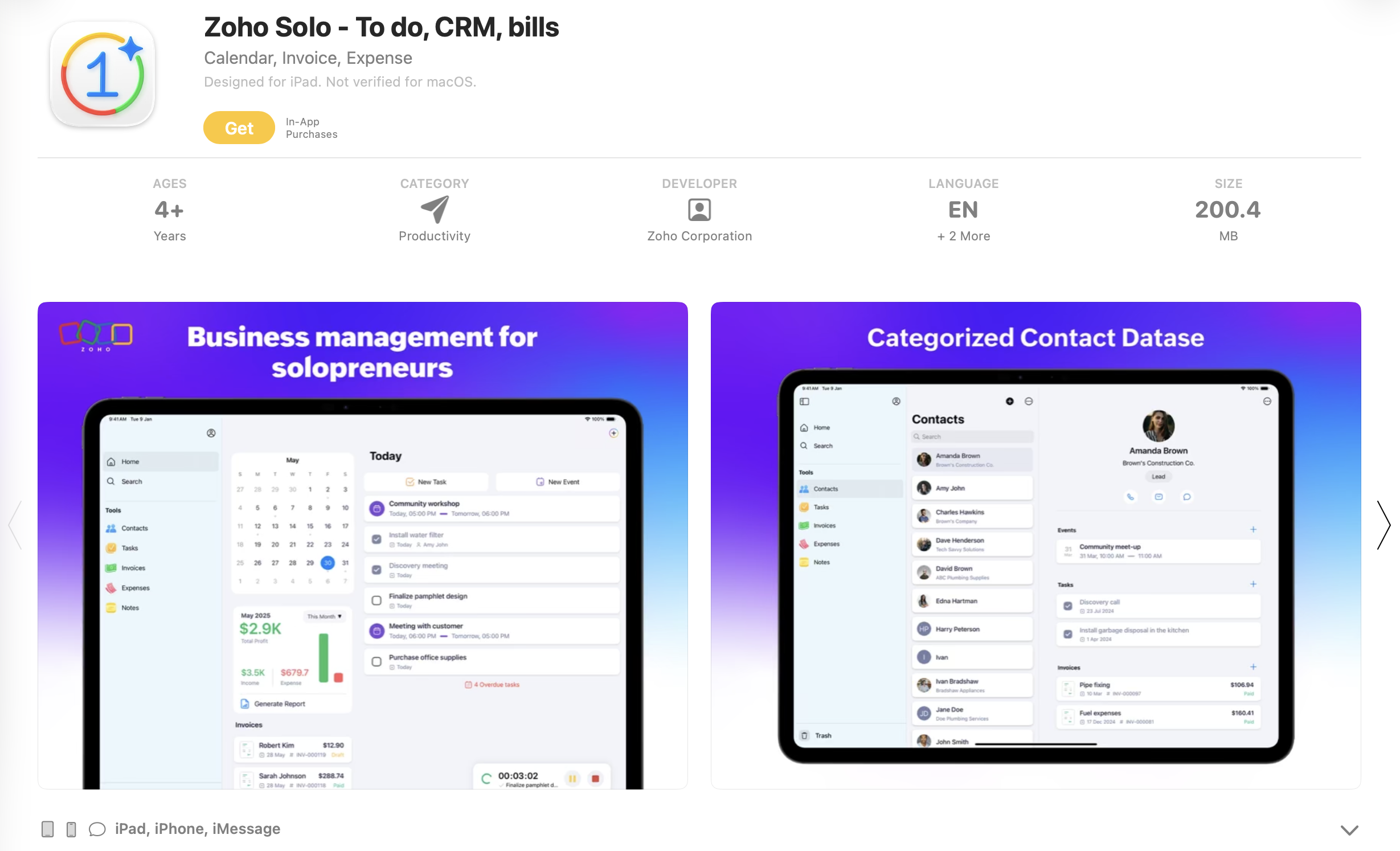
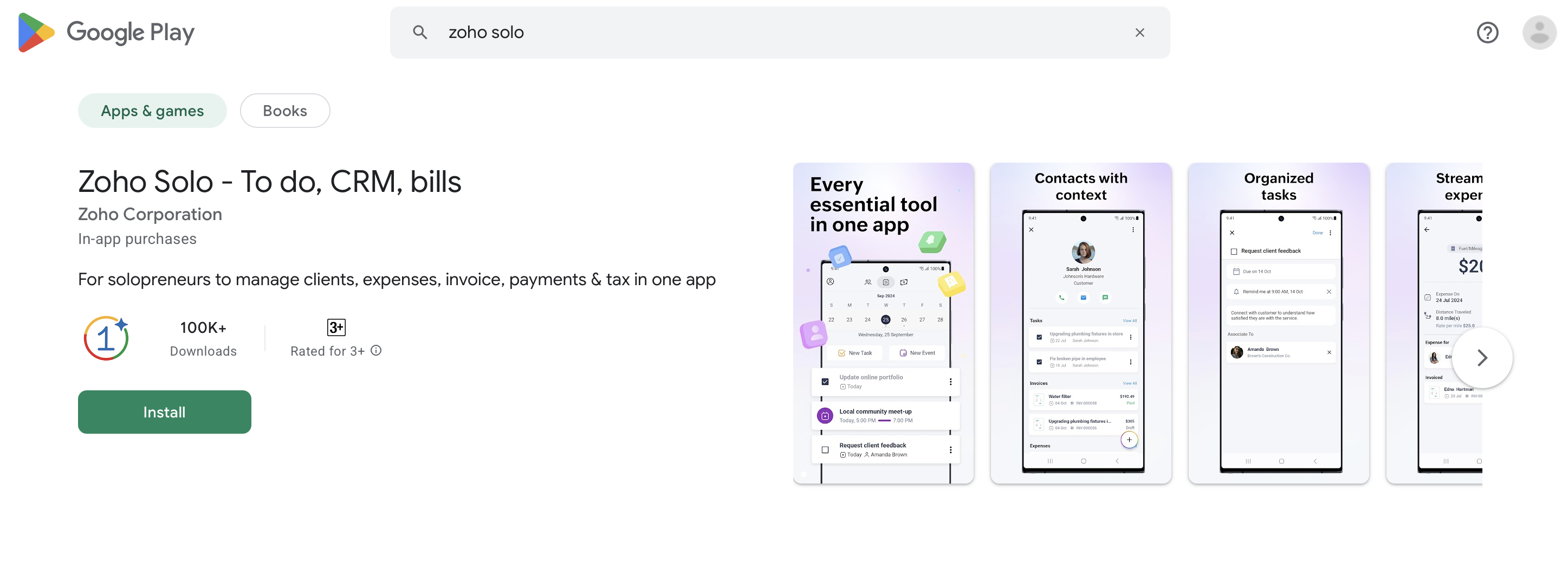
Search "Zoho Solo" in the Apple App Store or Google Play Store. Install and open.
Step 2: Sign up with your Zoho ID
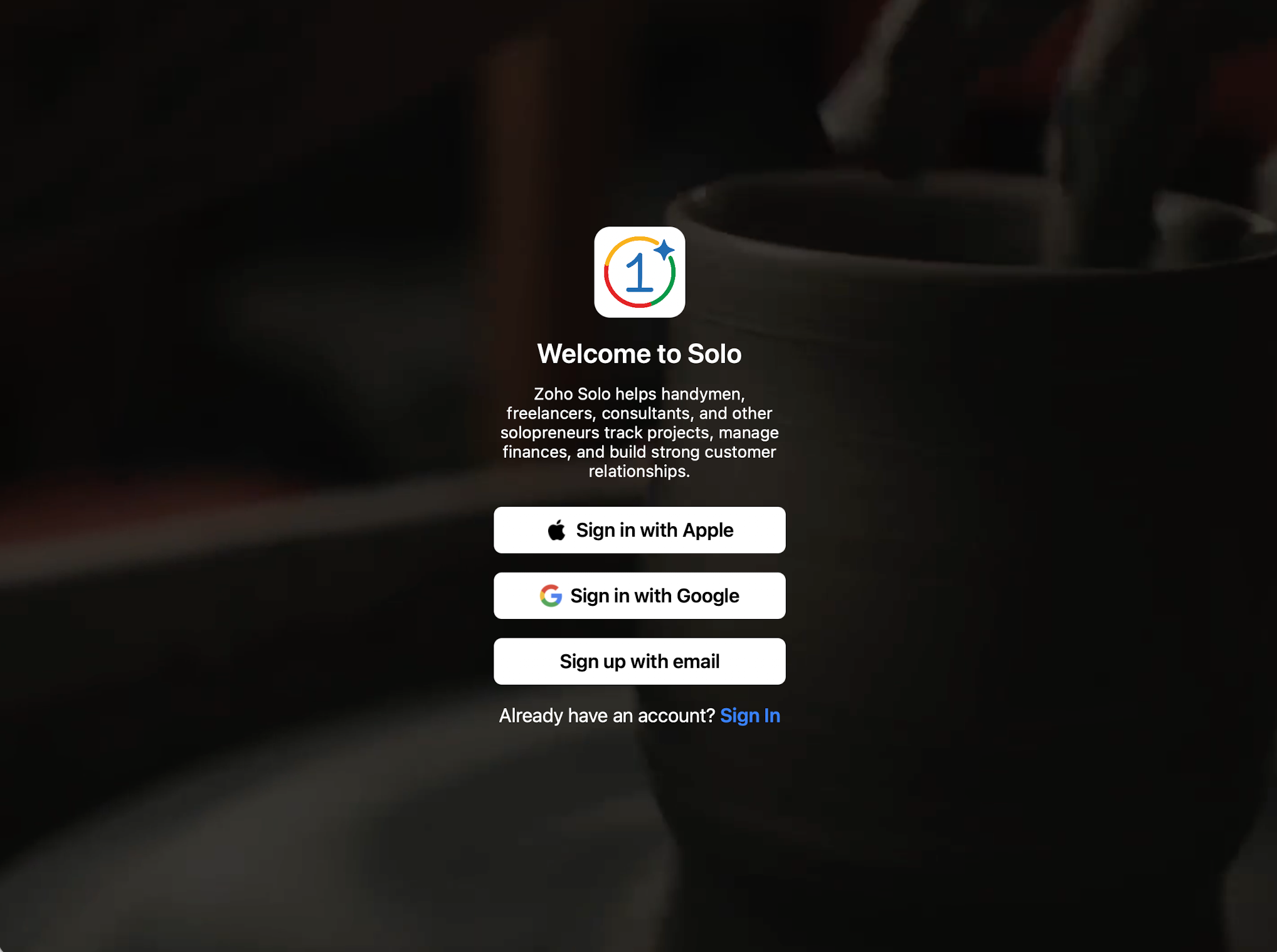
If you already have a Zoho account (Zoho Mail, Zoho CRM, or another service), use it. If not, create one. You can also sign in with an Apple ID or a Google account.
Step 3: Set up your business profile
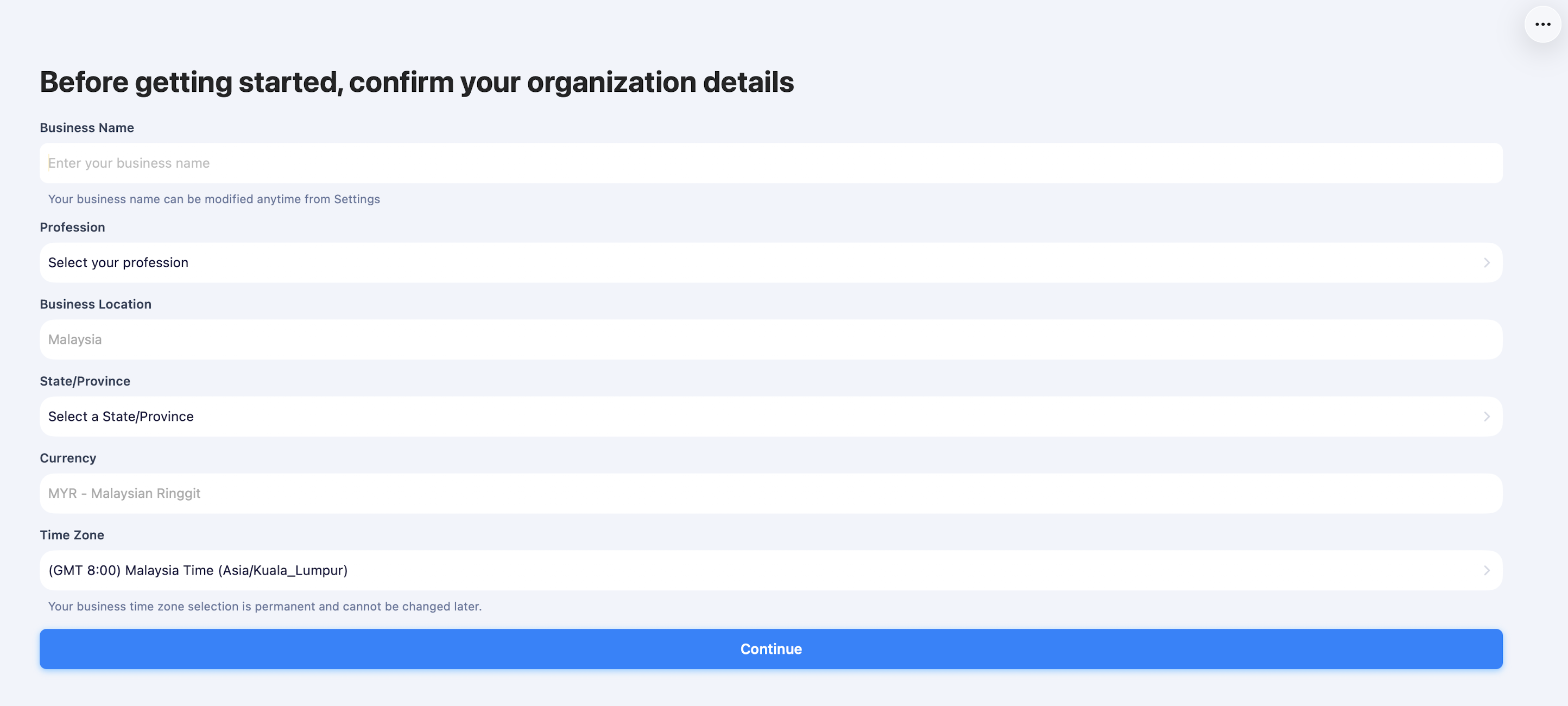
Enter your business name, base currency (set this to MYR), and contact information. Your invoices will reference this.
Step 4: Configure tax rates manually
Since Malaysia isn't on Zoho Solo's automated tax list, you'll need to create tax rates yourself. If you're SST-registered, add SST at 6% or 8%, depending on your service category. If not, set a 0% default or leave tax off invoices.
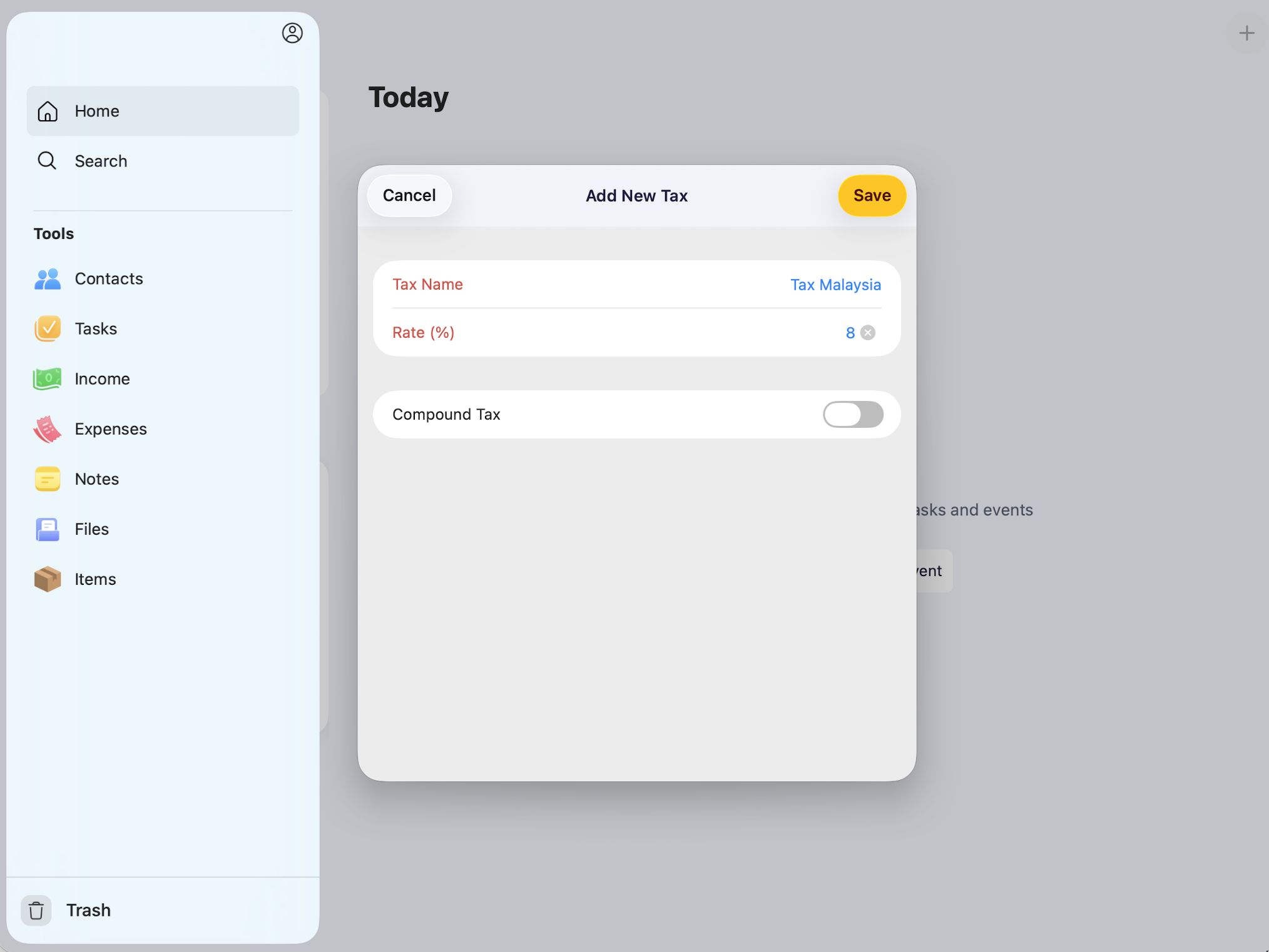
You can do it by clicking on Profile ---> Settings ---> Tax ---> Tax Rates and then adding your tax rate. It will be reflected on your invoice.
Step 5: Add your first client and issue your first invoice
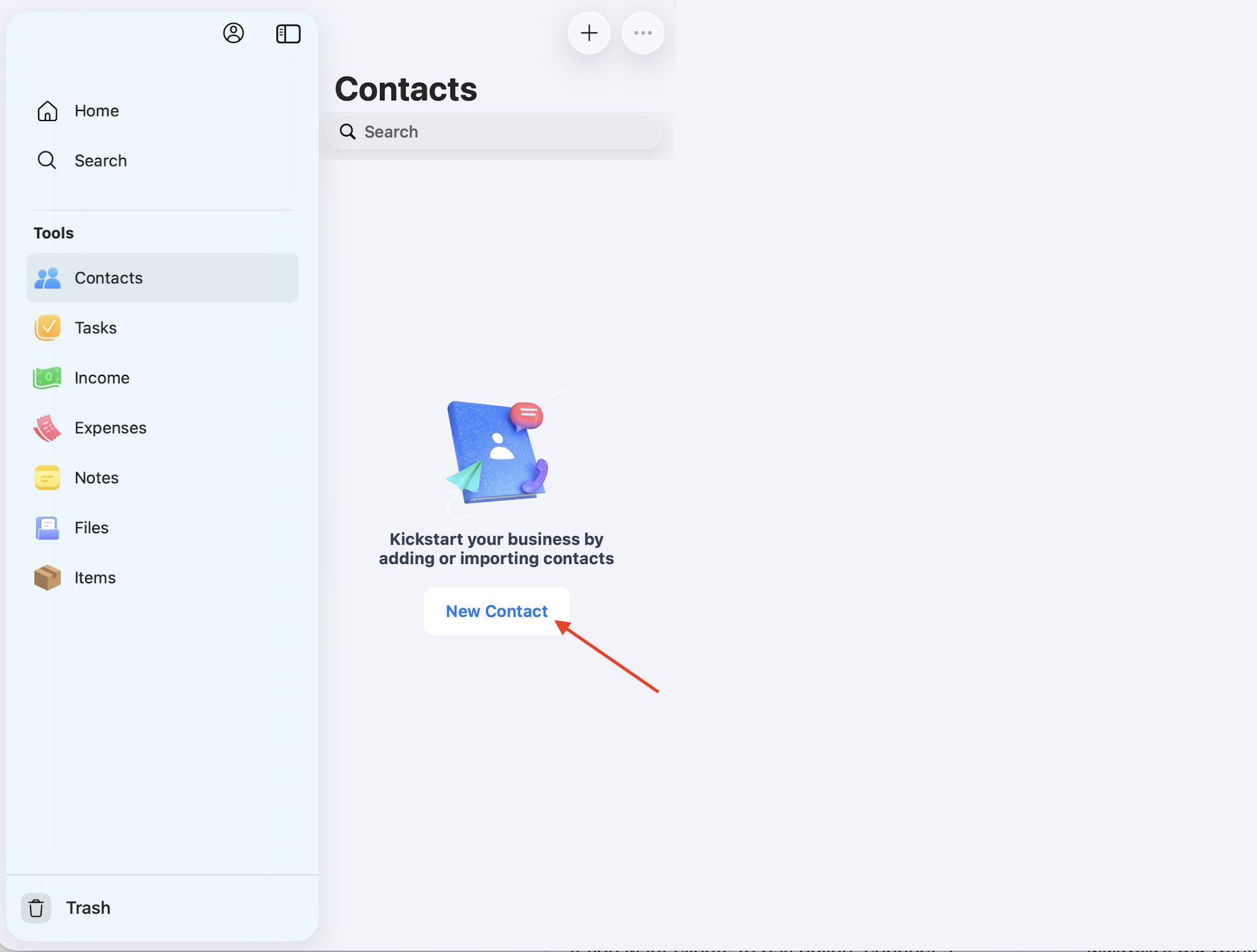
Create a contact, log the work, use the timer if billing by hour, then convert it into an invoice. Add your logo under the invoice template settings for a professional look.
Step 6: Decide on payment collection
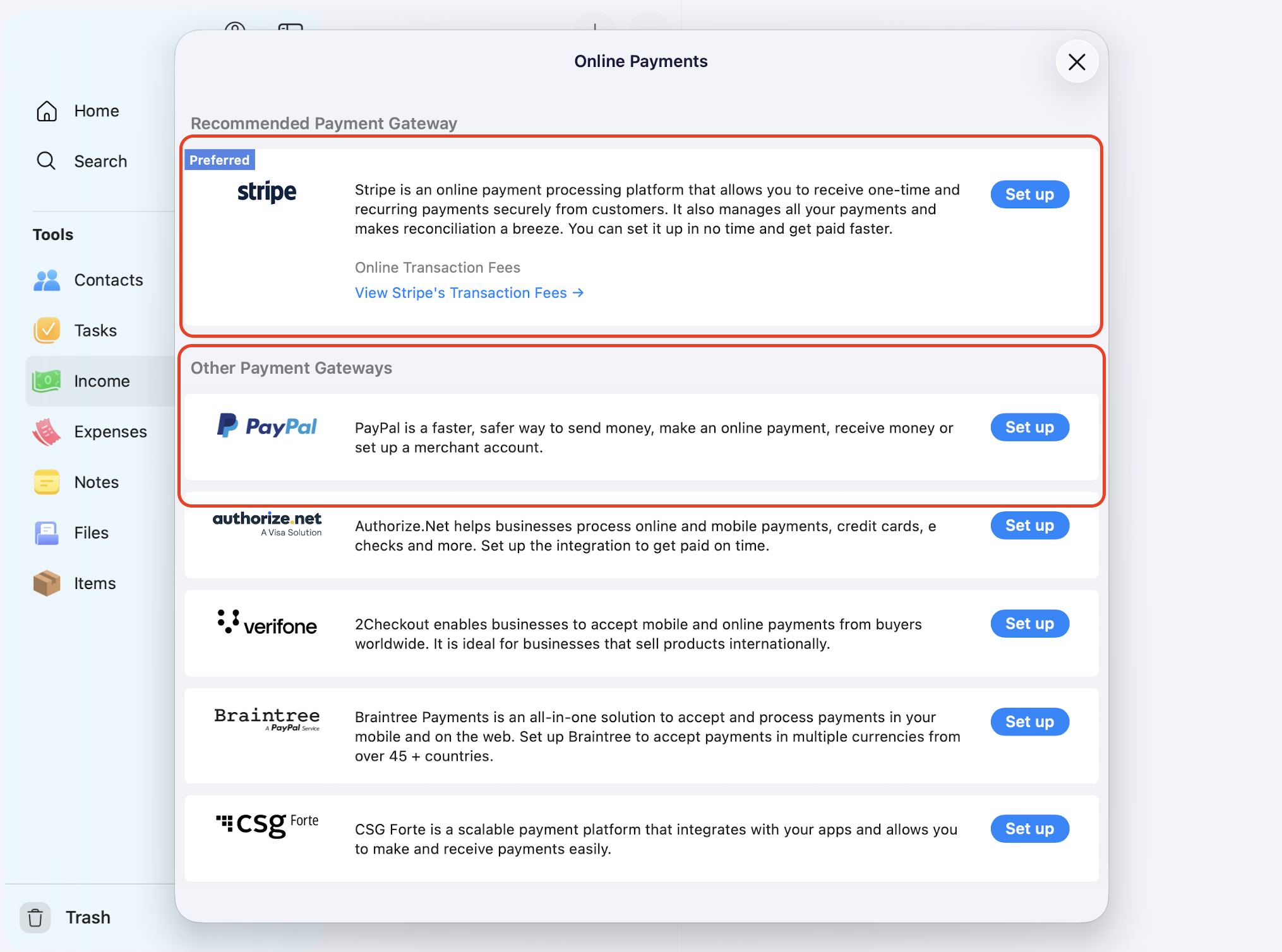
If you want clients to pay online, connect a payment gateway on the Pro plan. Check whether your preferred gateway (Stripe, PayPal, etc.) supports MYR and Malaysian bank settlement before committing.
Step 7: Track expenses from day one
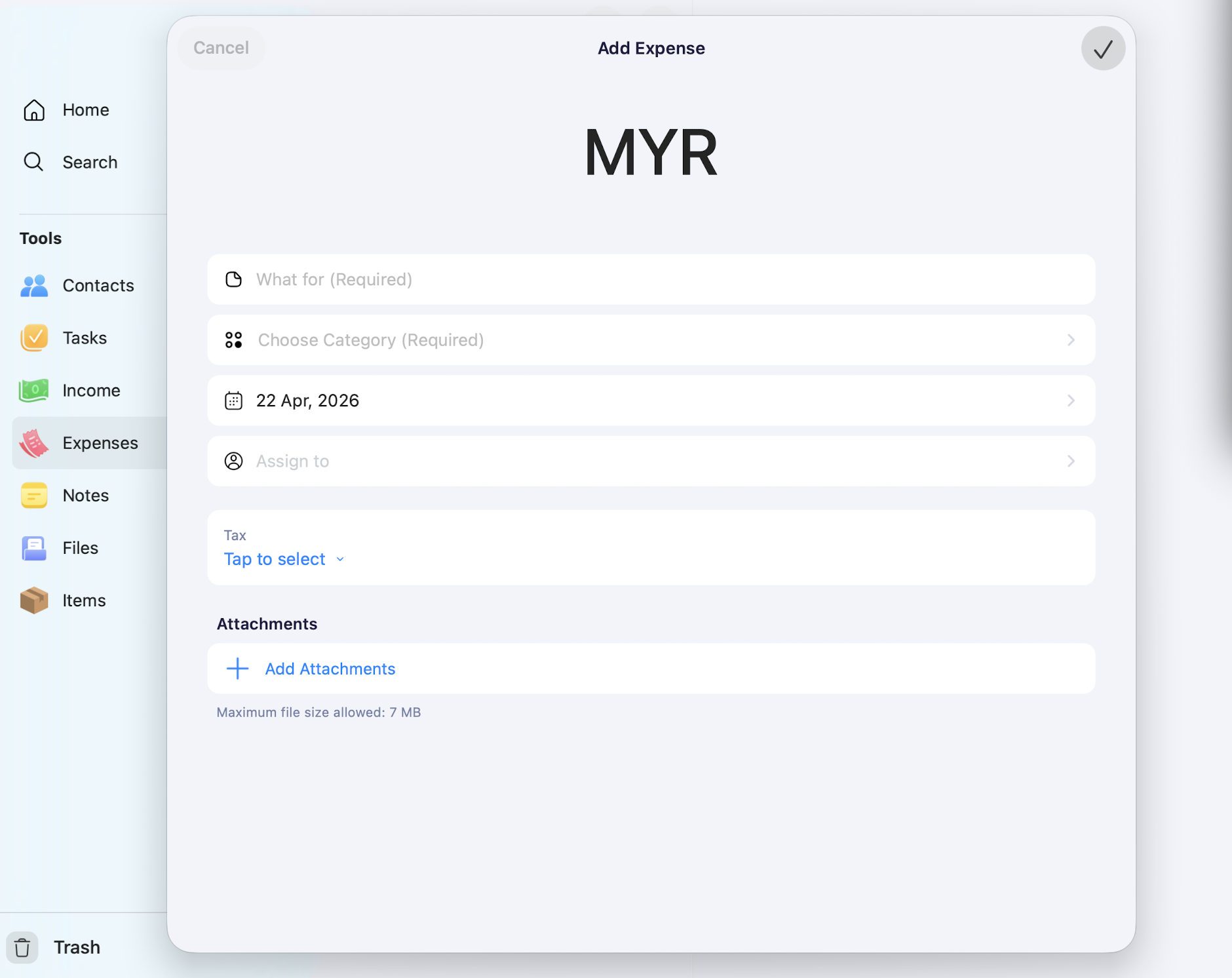
Every business expense — software subscriptions, transport to client meetings, equipment — goes into the expense tracker. Attach receipt photos. This matters for your personal income tax filing even if you're not on e-invoicing. And the best part is, Zoho's OCR technology can capture the details of your receipt and automatically enter your expense details. But make sure to double-check, as the accuracy is around 90%.
Step 8: Review reports monthly
Open the reports dashboard once a month. Check income vs expenses, overdue invoices, and time logged per client. This is the habit that separates freelancers who plateau from those who actually grow.
Common Mistakes to Avoid
A few things Malaysian freelancers get wrong when using Zoho Solo or any all-in-one tool.
Assuming the app handles your tax filing
It doesn't. Zoho Solo tracks your numbers. You still need to file your personal income tax (Borang B or BE) through MyTax yourself, using those numbers as a reference.
Not separating personal and freelance expenses
If you use one bank account for everything, the expense tracker becomes a mess. Open a dedicated account for freelance income and expenses. It makes Zoho Solo — and your tax filing — dramatically cleaner.
Ignoring the RM1 million threshold
You might be comfortably under RM1 million now. If you scale hard in 2026 or 2027 and cross the threshold, you'll have a two-year window before e-invoicing kicks in for you. Start planning the migration to a compliance-ready tool before you need it.
Paying for Pro Plan before you need it
The free plan covers genuinely useful ground. Start there. Only upgrade when you hit a specific feature limit — mileage tracking, payment gateway integration, or white-labelled invoices — that the free plan can't give you.
Relying only on mobile for invoicing
The app works well on mobile, but issuing a complex invoice on a phone screen is slower than on a laptop. For big invoices, consider a desktop-friendly alternative or wait until Zoho releases proper browser access for Solo.
Should You Use Zoho Solo?
Answer honestly:
- Is your annual freelance revenue under RM1 million? → Zoho Solo is viable.
- Do you want a free tier to start with? → Zoho Solo is one that offers good functionalities compared to similar tools.
- Do you work primarily from your phone? → Zoho Solo's mobile-first design is a real advantage.
- Do you need LHDN e-invoice integration today? → Skip Zoho Solo. Use Zoho Books, Bukku, or MyInvois Portal.
- Do you run anything more complex than a solo operation? → Zoho Solo is too light. Go to Zoho Books.
For most Malaysian freelancers earning under RM1 million a year and working mobile-first, Zoho Solo's free tier is a reasonable starting point. It's not the perfect Malaysia-native tool, but it beats juggling three separate apps, and it costs nothing to try.
Frequently Asked Questions
Is Zoho Solo free for Malaysian freelancers?
Yes, Zoho Solo offers a forever-free plan available to users worldwide, including in Malaysia. It covers invoicing, expense tracking, tasks, contacts, and basic reporting. The Pro plan costs RM25/month or RM300/year when purchased annually.
How do Malaysian freelancers sign up for Zoho Solo?
Download the Zoho Solo app from the Apple App Store or Google Play Store on your phone, then sign up directly in the app. Ignore the "not yet available in your country" message on Zoho's web product page — that's only the web signup flow. The mobile app is fully accessible and functional for Malaysian users.
Does Zoho Solo support LHDN e-invoicing in Malaysia?
No. Zoho Solo doesn't have native integration with Malaysia's MyInvois e-invoice system. If you're required to comply with LHDN e-invoicing (annual revenue above RM1 million), you'll need Zoho Books, a Malaysian-built platform like Bukku, or direct use of the MyInvois Portal.
Can I use Zoho Solo if I'm under the RM1 million e-invoicing threshold?
Yes, and this is actually the target use case for most Malaysian freelancers. If your annual revenue is under RM1 million, you're exempt from mandatory e-invoicing, which means Zoho Solo's lack of MyInvois integration doesn't affect you.
Does Zoho Solo support Malaysian Ringgit (MYR)?
Yes, you can set MYR as your base currency. However, the app's automated tax features don't include Malaysian tax rules — you'll configure SST or other tax rates manually.
Is Zoho Solo better than Zoho Books for freelancers?
For solo freelancers with annual revenue under RM1 million, Zoho Solo is simpler and cheaper. For freelancers approaching or above the e-invoicing threshold, working with subcontractors, or wanting desktop access with full accounting features, Zoho Books is the stronger choice.
Can I switch from Zoho Solo to Zoho Books later?
Not as cleanly as you'd hope. Zoho Solo doesn't offer robust data export options to other Zoho apps. If you expect to migrate, keep a clean export habit (monthly CSV exports of contacts, invoices, and expenses) from day one to make the eventual switch easier.
Does Zoho Solo work offline?
Partially. The mobile app has offline functionality for logging expenses, tasks, and time entries. They sync when you reconnect. Invoice sending and payment processing need an active connection.
What payment gateways does Zoho Solo integrate with?
On the Pro plan, Zoho Solo integrates with popular payment gateways, including Stripe, PayPal, and others. Availability of MYR and Malaysian bank settlement varies by gateway — check this before committing to a specific provider.
Is my data safe with Zoho Solo?
Zoho is a well-established global company with enterprise-grade security practices across its product line. Your data is encrypted and stored on Zoho's infrastructure. That said, for critical tax records, you should still keep your own backup exports.
Who should not use Zoho Solo?
Freelancers above RM1 million in annual revenue, anyone running a team or using subcontractors regularly, freelancers who need desktop-first workflows, and anyone who needs native LHDN e-invoice compliance. These users are better served by Zoho Books, Bukku, or a Malaysian SME-focused accounting platform.
So what's next?
Zoho Solo is a competent, genuinely free all-in-one app for solo operators. It's well-designed, mobile-first, and covers the basics most freelancers actually use — invoicing, expenses, tasks, time, and contacts.
For Malaysian freelancers, there are two honest caveats. First, ignore the "not available in your country" message on Zoho's web page — the mobile apps work fine in Malaysia, and that's how you access Solo. Second, the tax automation isn't built specifically for Malaysia. It doesn't cover SST or LHDN rules, and there's no MyInvois integration. For anyone with annual revenue under RM1 million, that's a non-issue. For anyone above, it's a dealbreaker.
Start with the free tier if you're curious. Use it for a month. If it fits your workflow, stay. If you outgrow it — or if your revenue crosses into e-invoicing territory — migrate to Zoho Books or a Malaysian-native platform. The worst move is to keep running your freelance business out of WhatsApp chats and unsaved spreadsheets because you haven't picked a tool yet. Zoho Solo's free plan removes that excuse entirely.



Comments